lalilala
lalilala
lalilala Sitebuilder
Community
Community
Resources
Lalilala is a creative platform to build and manage websites. We help artists, professionals, and cultural organizations grow online with simple, intuitive, all-included tools.
TUTORIAL
Advanced PayPal Checkout
In partnership with




Enabling and setting up PayPal Checkout will let you offer customers a simple payment experience
To enable PayPal Checkout, you must first obtain a PayPal Business account.
Not a business? No problem! You can enable a PayPal Business account even if you are an individual. After enabling your PayPal Business account, visit
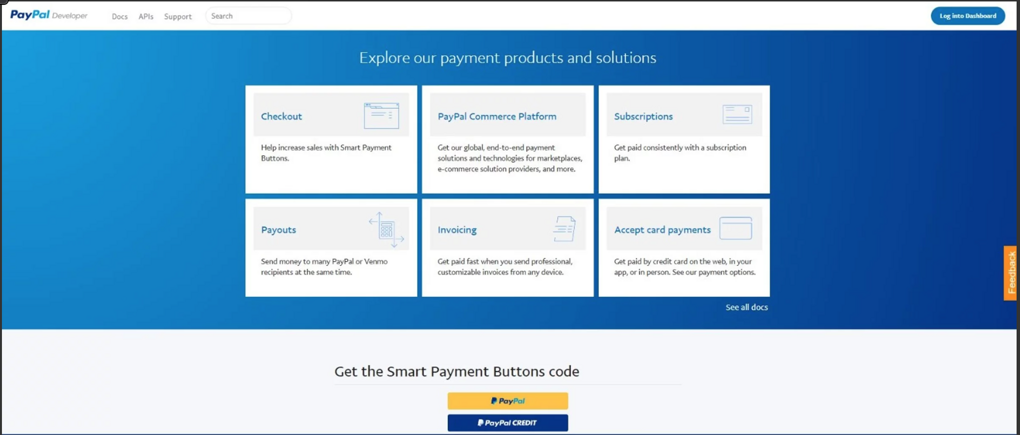
https://developer.paypal.com/developer/applications
and sign in using your PayPal account credentials.
Project supported by


NEQ : 2279204335 | support@lalilala.org - info@lalilala.org
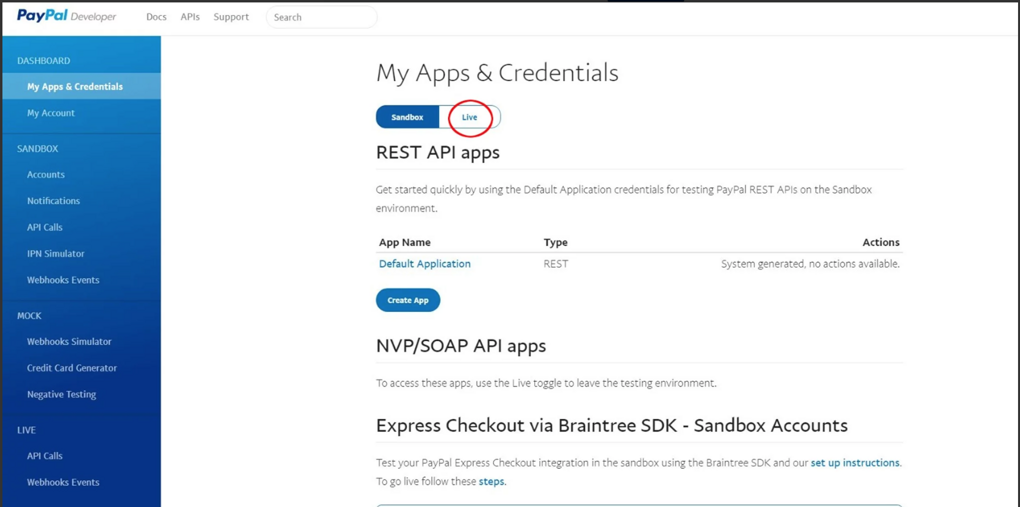
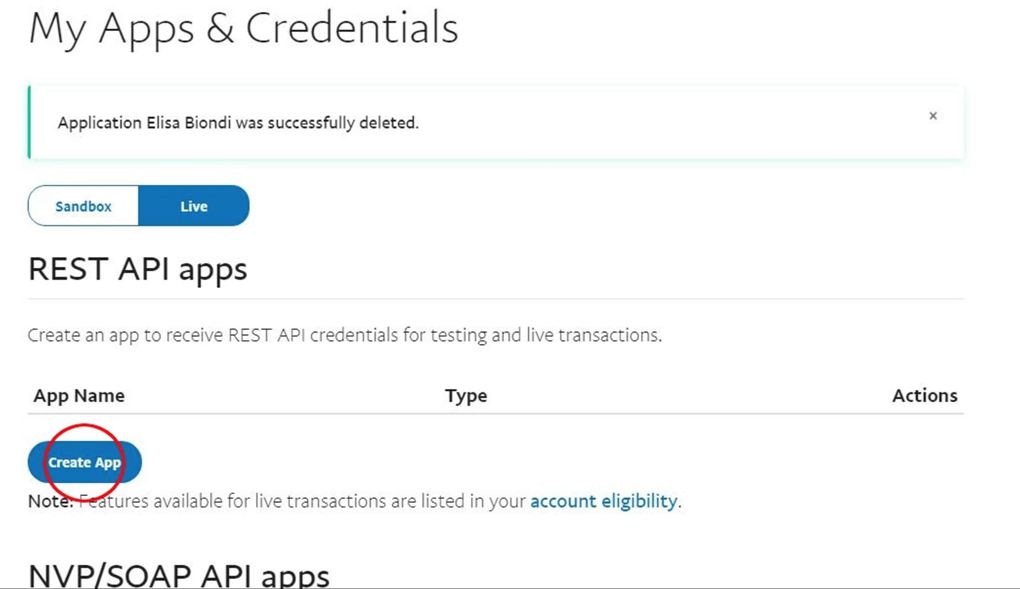
Click on "Live," and once it's selected, click on "Create App.
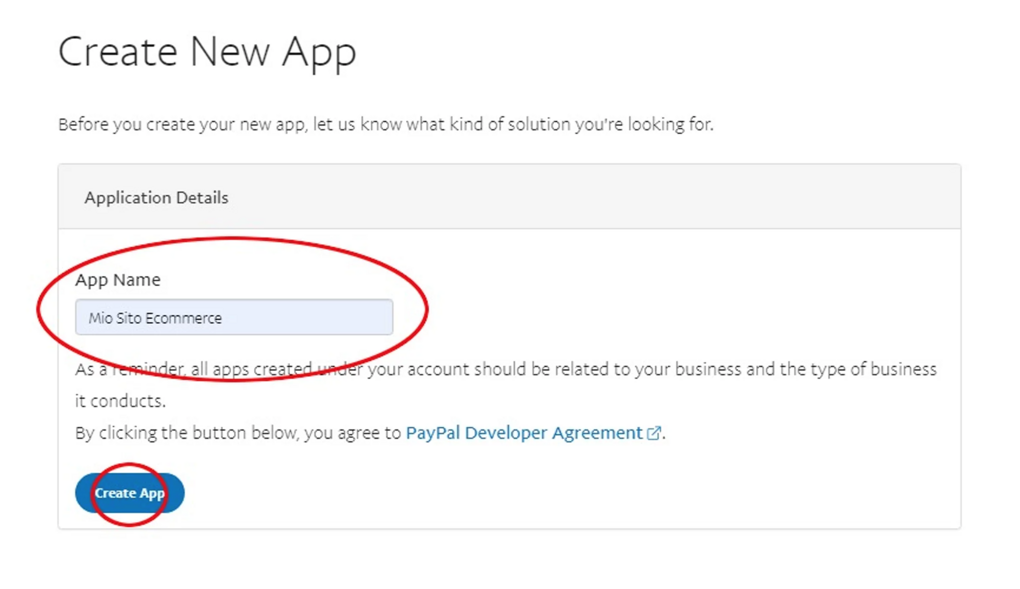
Choose a name and enter it in the "App Name" box. You can enter any name, such as the name of your online store. After selecting the name, click on “Create App”.
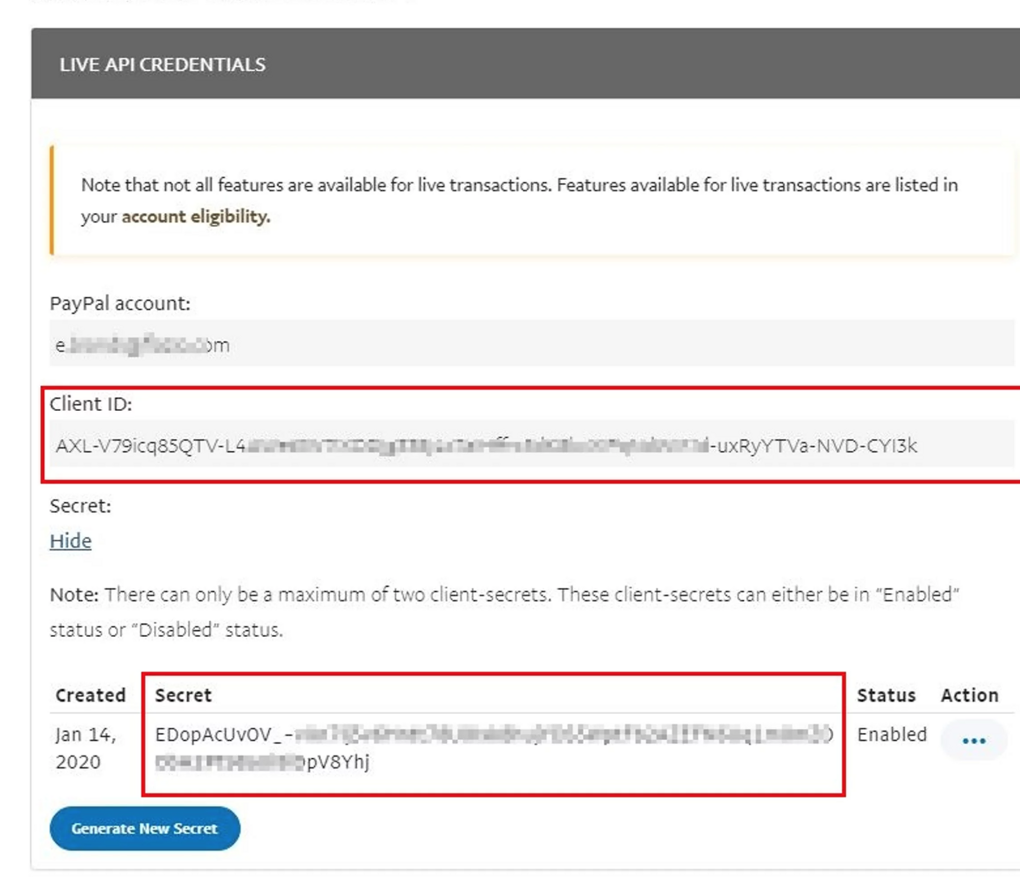
Copy the Client ID and Client Secret to paste them within the Settings under the Payments section. Don't forget to also input the email of your PayPal account.



Rely on our designers to build your website
Our Design team will create the site you’ve always dreamed of. A unique, tailor-made consultation to build your project from scratch.
First consultation free!